
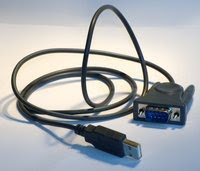
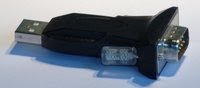
There are loads of cheap USB serial adapters around, the difficulty can be working out what chipset they use.
The easiest way to identify them is with a Linux live-CD.
Identify the chipset in Linux
You could just install the two drivers linked below, it won't do any harm if they're the wrong ones and there probably aren't that many different USB serial chipsets around so there's a good chance it'll work.
To make sure you'll need to identify the hardware using a Linux live CD. Ubuntu will do the job, also Knoppix. Pretty much any distribution should include a kernel with most of the drivers these days.
Boot up the live CD and plug in the USB serial adapter, load a terminal and run "dmesg" to see the system log. It should show the chipset that was detected and from there it's a simple google query to find the OSX driver.
 Example output for this prolific one, drivers available from the manufacturor for OSX.
[ 6786.920018] usb 2-1: new full speed USB device using ohci_hcd and address 5
[ 6787.146546] usb 2-1: configuration #1 chosen from 1 choice
[ 6787.204328] usbcore: registered new interface driver usbserial
[ 6787.204346] USB Serial support registered for generic
[ 6787.204414] usbcore: registered new interface driver usbserial_generic
[ 6787.204417] usbserial: USB Serial Driver core
[ 6787.211673] USB Serial support registered for pl2303
[ 6787.211740] pl2303 2-1:1.0: pl2303 converter detected
[ 6787.243536] usb 2-1: pl2303 converter now attached to ttyUSB0
[ 6787.243559] usbcore: registered new interface driver pl2303
[ 6787.243562] pl2303: Prolific PL2303 USB to serial adaptor driver
This one is from FTDI who also have drivers for OSX.
[ 6922.152793] USB Serial support registered for FTDI USB Serial Device
[ 6922.152913] ftdi_sio 2-1:1.0: FTDI USB Serial Device converter detected
[ 6922.152944] usb 2-1: Detected FT232BM
[ 6922.152947] usb 2-1: Number of endpoints 2
[ 6922.152949] usb 2-1: Endpoint 1 MaxPacketSize 64
[ 6922.152952] usb 2-1: Endpoint 2 MaxPacketSize 64
[ 6922.152955] usb 2-1: Setting MaxPacketSize 64
[ 6922.154724] usb 2-1: FTDI USB Serial Device converter now attached to ttyUSB0
[ 6922.154752] usbcore: registered new interface driver ftdi_sio
[ 6922.154755] ftdi_sio: v1.5.0:USB FTDI Serial Converters Driver
Install the OSX Driver
Install the driver in OSX and connect the serial adapter, run "sudo dmesg" in a terminal and you should see the driver being loaded:
FTDIUSBSerialDriver: 0 4036001 start - ok
The serial port is presented as a character device entry in /dev/. You can read and write from this like any other character device with normal terminal commands, e.g.
echo "show run" > /dev/tty.USBSERIAL && cat /dev/tty.USBSERIAL
The serial drivers in OSX aren't consistent, some name the device as /dev/tty.USBSERIAL, but not all. The only devices that start with the string "tty." are the Bluetooth serial emulation ones (which all have Bluetooth in the filename) and the USB serial so it's easy to find them with
Matts-Macbook:~ matt$ ls /dev/tty.*
/dev/tty.Bluetooth-Modem
/dev/tty.Bluetooth-PDA-Sync
/dev/tty.usbserial-FTCC130A
Terminal Software
Then all you need is terminal software. You can try putty from macports but it won't talk to my serial ports. Screen is included in OSX and can be used to talk to the serial:
screen /dev/tty.USBSERIAL
There's also Zterm & macwise.
My preferred option is to install minicom from macports. It's not as pretty but it has the features I need:
- It supports Xmodem, Zmodem and a whole host of other transfer protocols.
- It can log the entire session.
- It's free.
- It has menus so you don't have to remember three million keyboard shortcuts.
- It works.
What more do you need!
Read more...


 Posts
Posts

